Date Check In: how text opt-in works
Flè is operated by Fle Ventures LLC, New York, USA · Program name: Flè Check In
See the consent page yourself
This is the exact page the safety contact sees, filled with a made-up date. It is public, needs no account and never expires:
Real invitations use a private link made for one date (meetfle.com/c/ followed by a random code). Those stop working after the date, which is why we keep the sample page above for anyone who wants to look.
Step 1 · The member picks a safety contact in the app
On a date they've agreed with a match, the member taps Check In, chooses one person from their own contacts and a check-in time. The app then hands them a private link to send to that person themselves (by iMessage, WhatsApp, or any app they like). Flè does not text the person at this step.
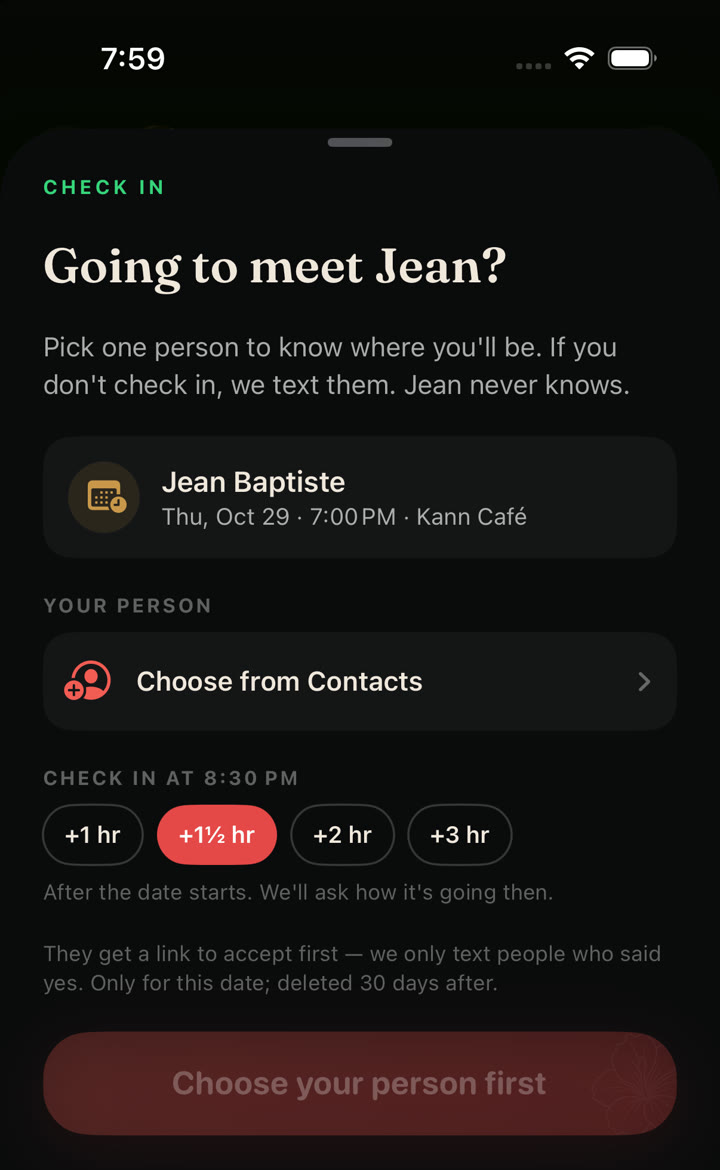
Step 2 · The safety contact opts in with a checkbox
The link opens a page showing whose date it is, with whom, where and when, and what texts they'd get. To agree, they tick a box that starts unchecked; the accept button stays disabled until they do. The consent text reads:
I agree to receive up to 3 text messages from Flè Check In about this date only, at the number ending in 1234: a confirmation, and only if needed an alert and an all-clear. Message and data rates may apply. Reply HELP for help, STOP to opt out. See our Privacy Policy and Terms.
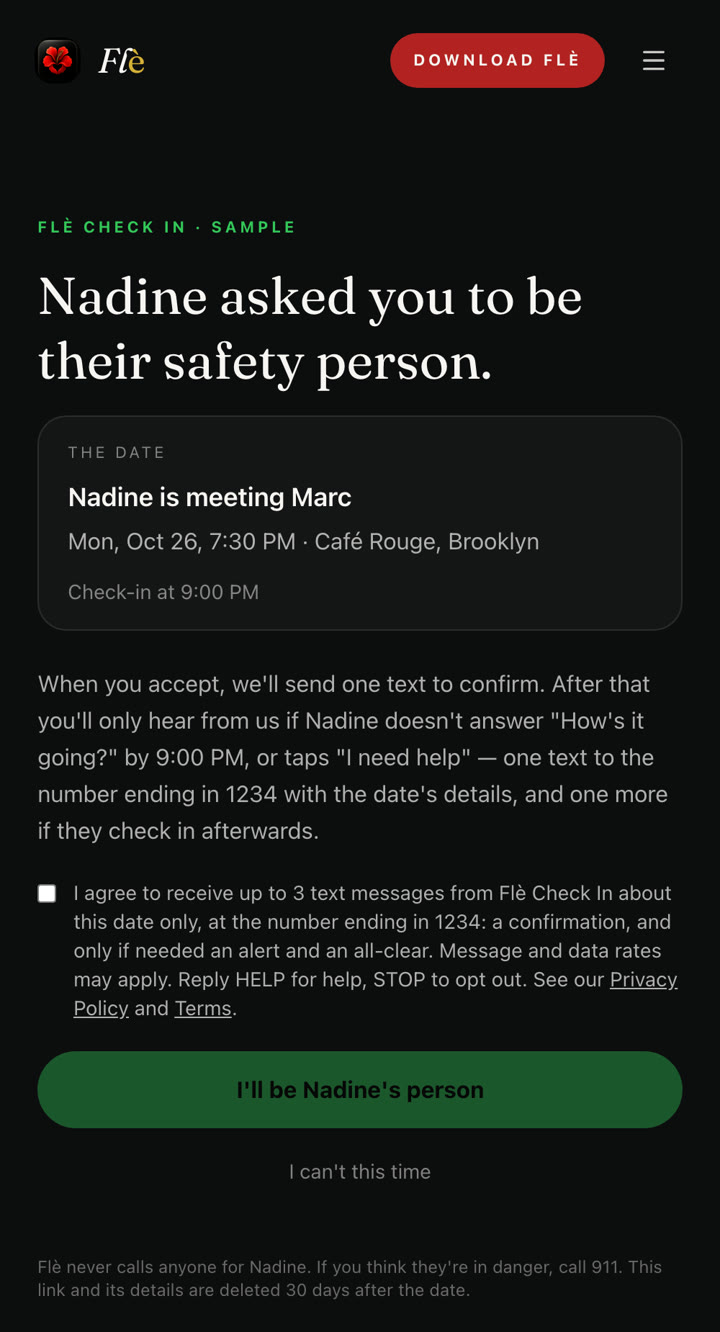
If they tap "I can't this time", or never open the link, they are never texted. When they accept, we record the time they opted in.
Step 3 · The texts they can receive (3 at most)
These are the exact messages. Names, places and times are filled in for the real date.
1. Confirmation, right after they opt in
Flè Check In: you're Nadine's safety contact for their date on Mon, Oct 26. We'll only text you if they don't check in. Up to 3 msgs. Msg & data rates may apply. Reply HELP for help, STOP to opt out.
2. Alert, only if the member doesn't check in or taps "I need help"
Flè Check In: Nadine hasn't checked in from their date with Marc at Café Rouge, Brooklyn (7:30 PM). You agreed to be their safety contact. Try calling Nadine; if you're worried, call 911. Reply STOP to opt out.
Flè Check In: Nadine tapped "I need help" during their date with Marc at Café Rouge, Brooklyn (7:30 PM). You agreed to be their safety contact. Call Nadine now; if you can't reach them, call 911. Reply STOP to opt out.
3. All-clear, only if an alert was sent and the member then checks in
Flè Check In: Nadine checked in and is okay. Thanks for being their safety contact. Reply STOP to opt out.
Only one of the two alert messages is ever sent for a date. If the date goes fine, the confirmation is the only text they receive.
Opting out and getting help
- Reply STOP to any message to stop all Flè Check In texts to that number.
- Reply HELP for help, or contact us at support@meetfle.com.
- Message frequency: at most 3 messages per date. Message and data rates may apply.
- Numbers and date details are used only for this check-in, never sold or shared for marketing, and deleted 30 days after the date. Carriers are not liable for delayed or undelivered messages.
- Read our Privacy Policy and Terms.